
Keeping a family organized can be harder than it looks. One person has work meetings. Another has school activities. Someone needs to remember grocery shopping, dinner plans, chores, appointments, sports practice, or weekend events.
The problem is not that families do not plan. The problem is that most plans are scattered across phones, paper notes, fridge magnets, group chats, and separate calendar apps.
That is where the Apolosign 21.5 Digital Calendar becomes interesting.
It is not just a digital screen that shows dates. It is designed to work as a family command center where schedules, chores, routines, meal planning, shopping lists, reminders, and photos can stay visible in one place.
But is the 21.5-inch model the right size? Is it worth the price? And who should actually buy it?
In this Apolosign 21.5 Digital Calendar review, we will look at its key features, real-life benefits, pros and cons, specifications, and whether it is a smart buy for busy families.
What Is the Apolosign 21.5 Digital Calendar?
The Apolosign 21.5 Digital Calendar is a smart touchscreen family organizer with a 21.5-inch display. It is built to help families manage their daily routines more clearly and visually.
Instead of checking multiple phones or rewriting a paper calendar, users can place the Apolosign display in a visible area of the home and use it to view schedules, assign chores, create to-do lists, plan meals, post reminders, and display family photos.
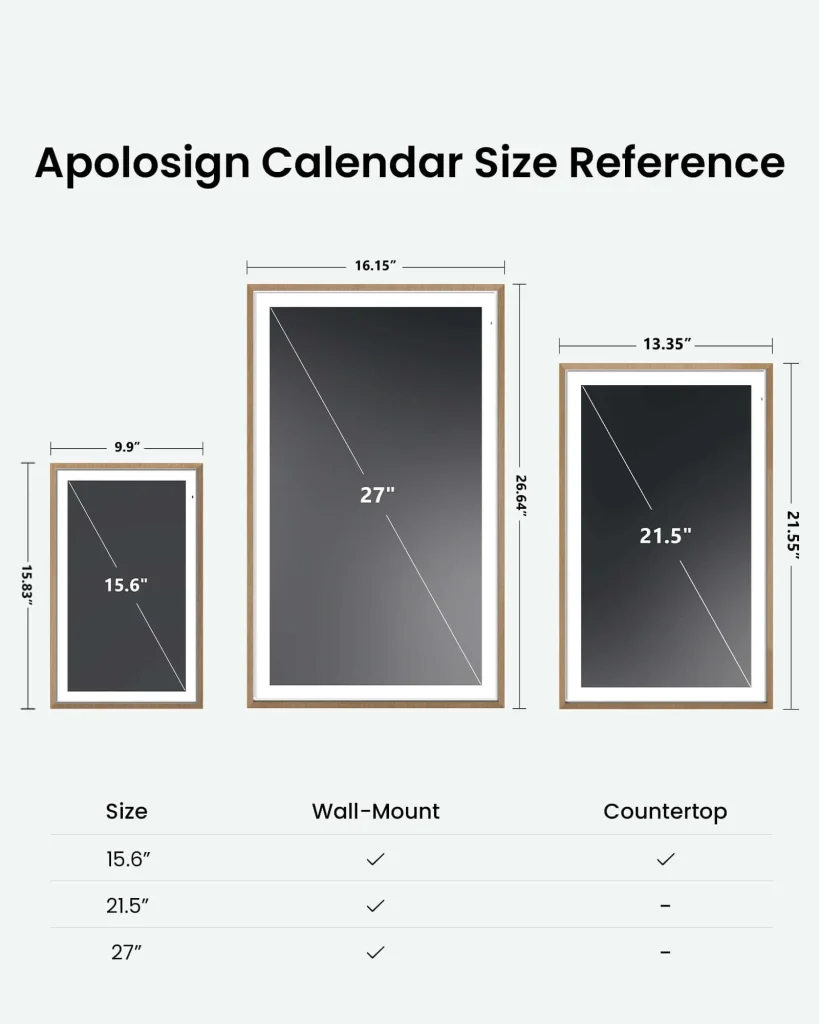
The 21.5-inch version sits in the middle of Apolosign’s digital calendar lineup. It is larger than the 15.6-inch model, but easier to place than the bigger 27-inch versions. For many homes, that makes it the most practical size.
It is large enough to be readable from a distance, but not so large that it feels oversized in a kitchen, hallway, or family room.
Key Specifications
| Feature | Details |
|---|---|
| Product | Apolosign 21.5 Digital Calendar |
| Screen Size | 21.5 inches |
| Display Type | LCD 10-point touch screen |
| Resolution | 1920 × 1080px, 1080p Full HD |
| Aspect Ratio | 16:9 |
| Brightness | 300 nits |
| Operating System | Android EDLA Licensed |
| Processor | RK3576 octa-core processor |
| RAM | 4GB |
| Storage | 64GB |
| Wi-Fi | Wi-Fi 6 |
| Bluetooth | Bluetooth 5.4 |
| USB-C | 1 port |
| Speakers | Dual speakers |
| Microphones | Quad mics |
| VESA Mount | 100mm × 100mm |
| Placement | Wall mount included |
Main Features of the Apolosign 21.5 Digital Calendar
1. 21.5-Inch Screen: The Sweet Spot for Most Homes
The biggest reason to choose this model is the screen size.
A 15.6-inch digital calendar can be useful for smaller rooms, but it may feel a little compact if several family members need to check the schedule from across the kitchen or hallway.
A 27-inch model gives more visibility, but not every home has enough wall space for a display that large.
The 21.5-inch Apolosign Digital Calendar feels like a practical middle ground. It is big enough to display weekly schedules, reminders, to-do lists, and family tasks clearly, but still manageable for most homes.
If you want a family calendar that everyone can actually see, the 21.5-inch size makes a lot of sense.
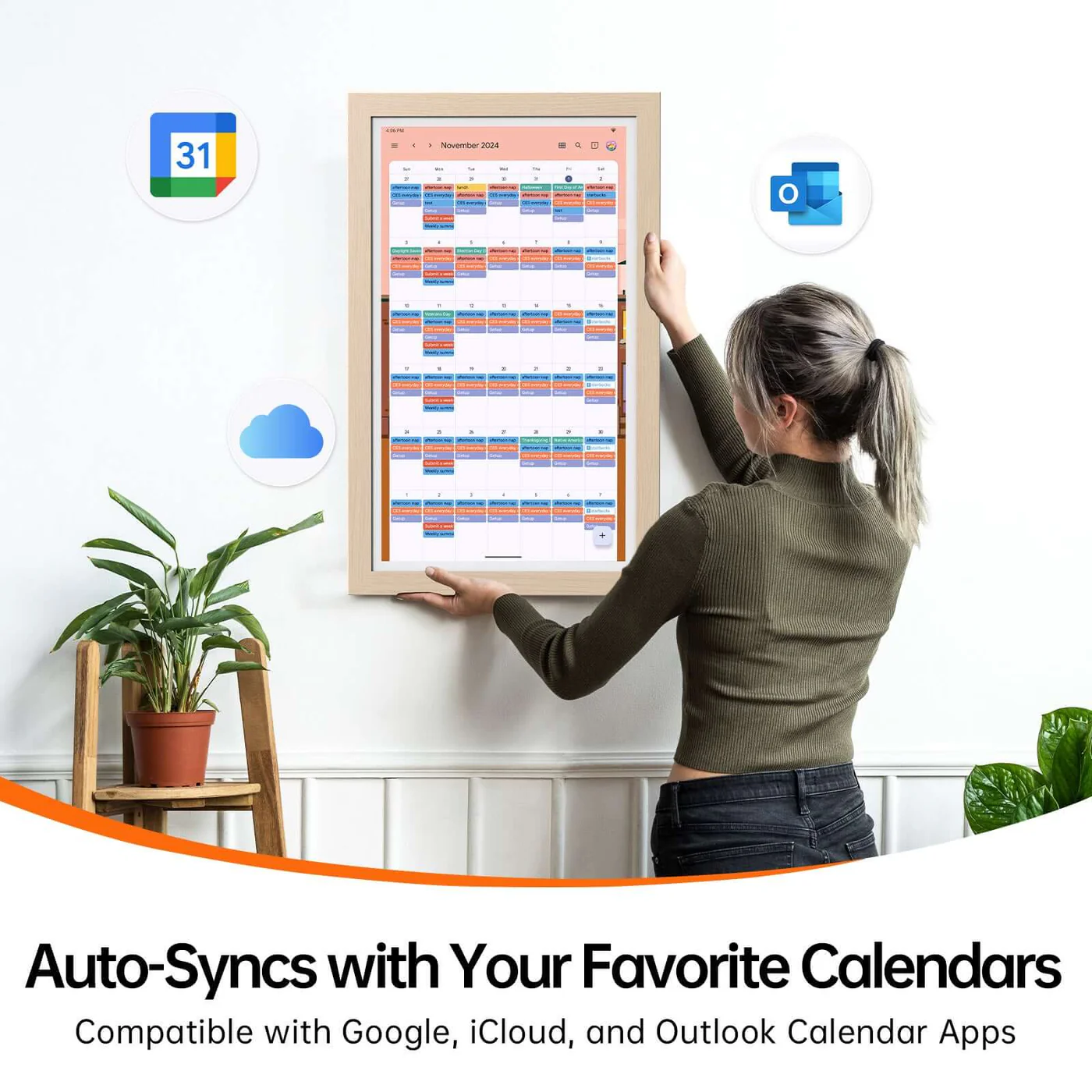
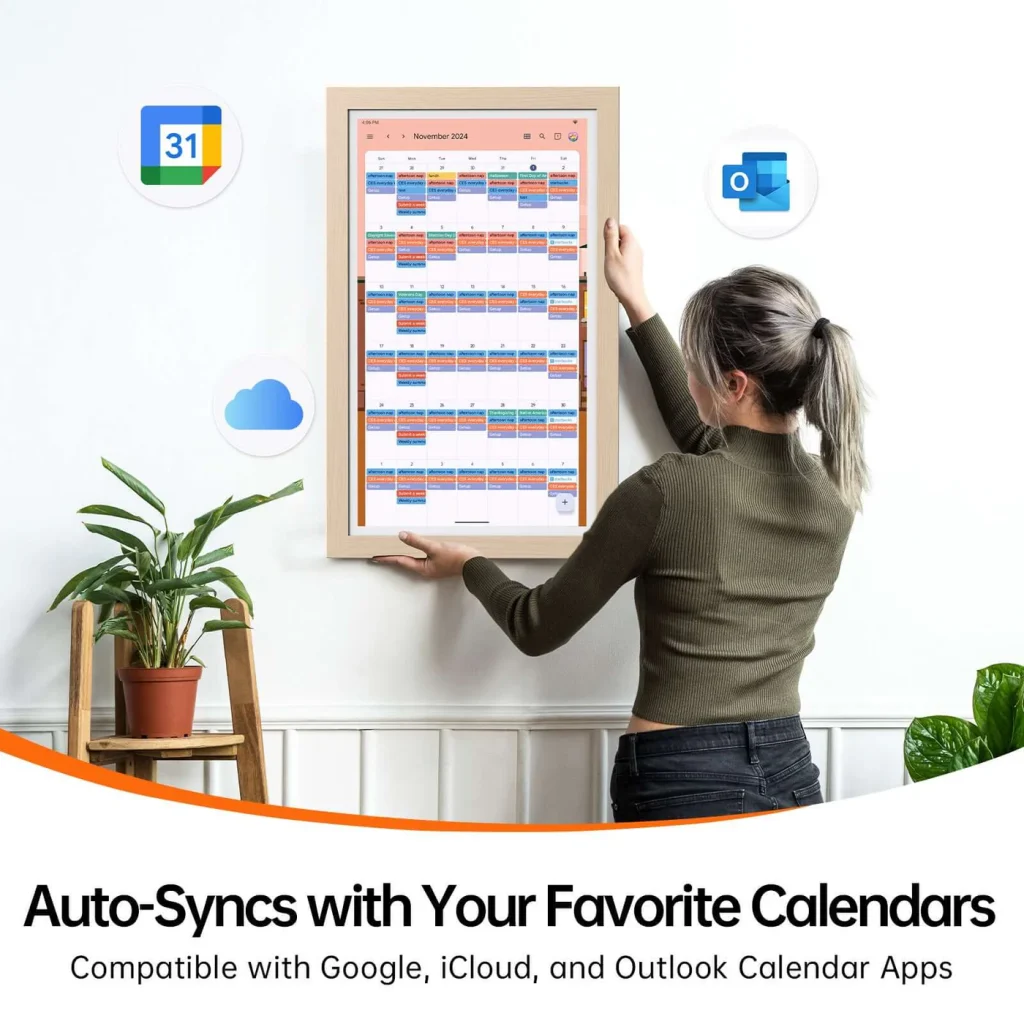
2. Calendar Sync With Popular Apps
One of the most useful features is calendar syncing.
The Apolosign 21.5 Digital Calendar can sync with popular calendar platforms such as Google Calendar, Apple Calendar, Outlook, Yahoo, and Cozi. This means you do not have to completely change how your family already manages schedules.
You can continue using your normal calendar app, while Apolosign displays the schedule in one central place at home.
This is especially helpful for families where different people use different devices. Parents can add work meetings, school events, appointments, sports activities, or family plans, and the display helps keep everything visible.
A shared screen can reduce confusion and make it harder for anyone to miss important plans.
3. Dual-Mode System: Calendar Mode and Android Mode
Apolosign’s dual-mode system is one of the features that makes it different from a basic digital calendar.
In Calendar Mode, the device focuses on family organization. You can manage events, chores, routines, rewards, to-do lists, and daily planning.
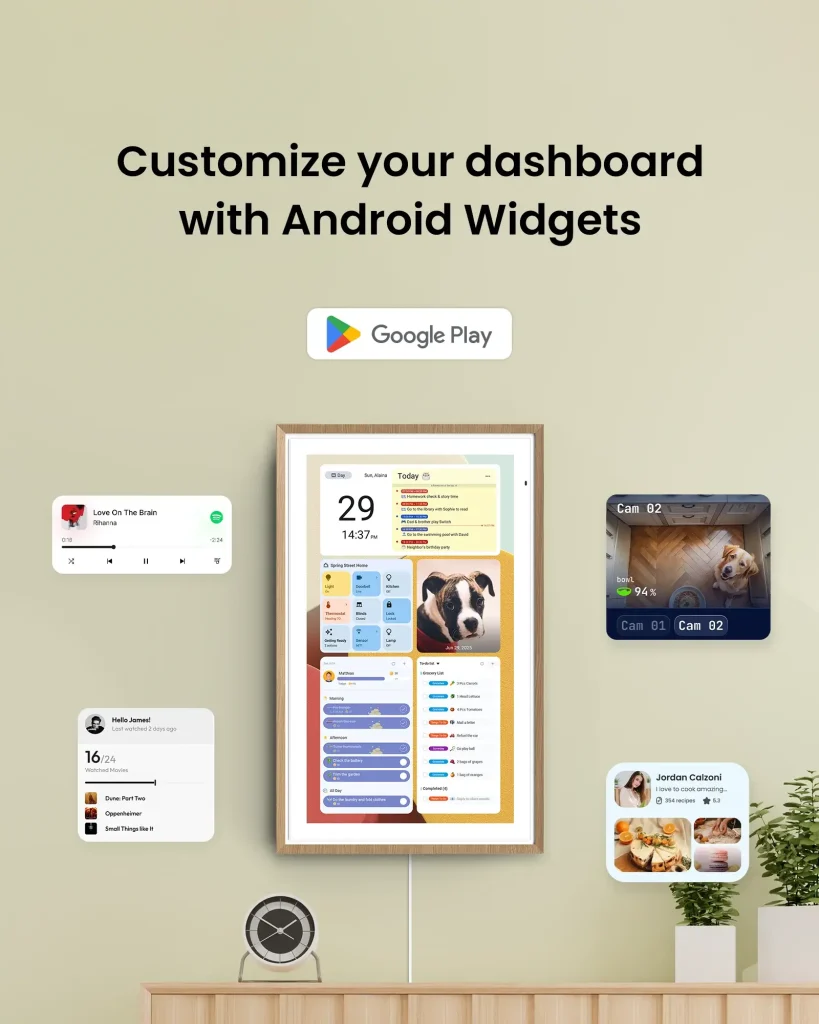
In Android Mode, the device works more like a customizable smart display. You can personalize the dashboard with widgets and supported apps, depending on how you want to use it.
This gives the product more flexibility. You can use it as a focused family planner, or you can turn it into a broader smart home dashboard with weather, music, calendar widgets, smart home controls, reminders, and more.
For users who enjoy customization, this is a major advantage.
4. Chores, Routines, Points, and Rewards
For families with children, this may be one of the most useful parts of the Apolosign 21.5 Digital Calendar.
Instead of verbally reminding kids about the same tasks every day, parents can create routines and chores that appear on the screen. Children can see what they need to do, track progress, and earn points or rewards.
This can be used for morning routines, homework, cleaning, feeding pets, brushing teeth, packing school bags, or bedtime habits.
The visual format makes it easier for kids to understand expectations. It can also help parents reduce repeated reminders.
Of course, the device will not magically make children love chores. But it can make the system clearer, more consistent, and more engaging.
5. To-Do Lists and Shopping Lists
The Apolosign 21.5 Digital Calendar also supports to-do lists and shopping lists.
This may sound simple, but it is extremely practical for daily life. Many families forget small things because they are written in different places or saved on different phones.
With a shared digital display, grocery lists, shopping lists, household tasks, and family reminders can stay visible.
You can use it for weekly groceries, cleaning tasks, school supplies, family errands, birthday reminders, or anything else that needs to be done.
For busy households, having a shared list can save time and reduce daily stress.
6. Meal Planning and Recipe Organization
Meal planning is another useful feature.
Instead of deciding what to cook at the last minute, families can plan meals ahead of time and keep the plan visible. This can help with grocery shopping, reduce food waste, and make weekday evenings less stressful.
The Apolosign 21.5 Digital Calendar can also help organize recipes and meal ideas. For families who cook at home often, this feature can make the calendar more useful beyond just schedules.
If your household often asks, “What are we eating tonight?”, this feature alone may be valuable.
7. Family Message Board and Countdowns
The message board feature is designed to replace notes on the fridge.
Families can use it to post reminders, short messages, countdowns, or important notes that everyone can see.
For example, you could use it for:
- “Soccer practice at 5 PM”
- “Grandma’s birthday in 3 days”
- “Don’t forget the science project”
- “Family dinner tonight”
- “Take out the trash”
This is a small feature, but it makes the device feel more like a real family hub rather than just a calendar screen.
8. Google Photos Digital Photo Frame
Another appealing feature is the photo frame function.
When the calendar is not being used actively, it can display family photos with Google Photos support. This makes the screen feel warmer and more personal in the home.
Instead of looking like a blank device on the wall, it can show memories, family moments, travel photos, or a live screensaver.
This is one reason the 21.5-inch size works well. It is large enough to make photos look good, but not so large that it dominates the room.
9. Google Assistant and Smart Home Control
The Apolosign 21.5 Digital Calendar supports Google Assistant voice control and Google Home smart control.
This can be useful if you already use Google smart home devices such as doorbells, cameras, lights, or other connected products.
You can use the display to monitor or control parts of your smart home, depending on your setup.
This feature may not be essential for every buyer, but it adds extra value for users who already have a Google-based smart home ecosystem.
10. Anti-Glare Matte Glass
Apolosign highlights the anti-glare matte glass finish, which is designed to reduce eye strain in bright rooms.
This matters because many people will place the calendar in kitchens, hallways, or family rooms where lighting can change throughout the day.
A glossy screen may look nice in photos, but it can become annoying if reflections make the calendar hard to read. The matte finish is a practical choice for daily use.
What I Like About the Apolosign 21.5 Digital Calendar
The biggest advantage of the Apolosign 21.5 Digital Calendar is that it brings family organization into one visible place.
Many families already use digital calendars, but those calendars are usually hidden inside phones. A wall-mounted screen changes the experience. Everyone can quickly check the schedule without opening an app.
The 21.5-inch size is also a major strength. It is more visible than a small tablet-style calendar, but still easier to fit into a normal home than a 27-inch screen.
I also like that it combines multiple tools: calendar sync, chores, routines, rewards, lists, meal planning, message board, photo frame, dashboard widgets, and smart home control. This makes it more useful than a simple digital photo frame or basic wall calendar.
Another strong point is that the core features do not require a monthly subscription. For buyers who dislike recurring fees, this is an important benefit.
What Could Be Better?
The Apolosign 21.5 Digital Calendar is useful, but it is not perfect for everyone.
First, the 21.5-inch and larger models are mainly designed for wall mounting. If you want a calendar that sits on a desk or countertop, the 15.6-inch version may be easier to use because it is more compact.
Second, the Android-style flexibility can be both a strength and a weakness. Tech-friendly users may enjoy customization, but people who want the simplest possible experience may need some time to get used to the interface.
Third, while the device supports iCloud calendar display, Apple-heavy users should check the setup process carefully before buying, especially if they expect deep Apple Calendar integration.
Finally, this is still a premium home organization product. If your family already manages schedules perfectly with a free phone app or a paper calendar, you may not need it.
Pros and Cons
Pros
- Large 21.5-inch screen is easy to read for most homes
- Good balance between size and placement
- Syncs with popular calendar apps
- Supports chores, routines, points, and rewards
- Includes to-do lists and shopping lists
- Meal planning and recipe organization are useful for families
- Can work as a digital photo frame
- Customizable Android dashboard
- Google Assistant and Google Home support
- Anti-glare matte glass helps visibility in bright rooms
- Core features do not require a monthly subscription
Cons
- Wall mount is included, but desktop placement is not the main focus for this size
- May take time to learn if you are not comfortable with smart displays
- Larger than some users may need
- Apple users should review iCloud setup before purchasing
- Not necessary for people with very simple schedules
Who Should Buy the Apolosign 21.5 Digital Calendar?
The Apolosign 21.5 Digital Calendar is best for families who want a central screen for daily organization.
It is a good fit for:
- Parents with school-age children
- Families with busy weekly schedules
- Shared households
- Couples managing work, appointments, and home tasks
- People who already use digital calendars
- Families who want to reduce paper notes and fridge reminders
- Homes that need a visible kitchen or hallway command center
If your family often forgets appointments, chores, shopping items, or meal plans, this product can make daily life feel more organized.
Who Should Avoid It?
You may not need the Apolosign 21.5 Digital Calendar if you live alone and only manage a simple schedule.
It may also not be the best choice if you prefer a basic paper calendar or do not want another screen in your home.
If you need a portable tabletop calendar, the 15.6-inch version may be more practical.
If you want the biggest screen possible, the 27-inch or 27-inch 4K models may be better options.
Apolosign 21.5 vs 15.6 vs 27-Inch: Which Size Is Better?
The 15.6-inch Apolosign Digital Calendar is better for smaller spaces, desks, bedrooms, or compact kitchens. It is also a good choice if you want the most affordable entry point.
The 21.5-inch model is the best middle option for most families. It is large enough to be useful as a family command center but not as large as the 27-inch models.
The 27-inch model is better for larger homes, open kitchens, and families who want maximum visibility from across the room.
The 27-inch 4K model is the premium choice for buyers who want the sharpest display and plan to use the device heavily as both a calendar and digital photo frame.
For most buyers, the 21.5-inch model offers the best balance of size, price, and everyday usability.
Is the Apolosign 21.5 Digital Calendar Worth It?
The Apolosign 21.5 Digital Calendar is worth considering if your family needs a better way to stay organized.
Its value comes from visibility. Phone calendars are useful, but they are private and easy to ignore. A shared wall calendar makes plans easier for everyone to see.
The 21.5-inch size is especially practical because it is large enough for family use without feeling oversized. It can work well in a kitchen, hallway, or main family area.
The combination of calendar sync, chores, rewards, lists, meal planning, message board, photo frame, dashboard customization, and smart home control gives it strong everyday usefulness.
It is not the cheapest way to manage a schedule, but for families who want a real command center at home, it can be a smart upgrade.
Final Verdict
The Apolosign 21.5 Digital Calendar is a practical and well-balanced smart family organizer.
It is not just a digital wall calendar. It is a central planning screen for schedules, chores, routines, meals, lists, messages, photos, and smart home controls.
The 21.5-inch model is likely the best size for many families because it offers better visibility than the smaller 15.6-inch version while remaining easier to place than the 27-inch models.
If you want a smart family calendar that is useful, visible, and flexible without relying only on a phone app, the Apolosign 21.5 Digital Calendar is worth checking out.
Final Rating: 4.5/5
Best For: Busy families, parents, shared households, kitchen organization
Not Best For: Solo users, minimalists, buyers who only need a basic paper calendar
Affiliate Disclosure
This article may contain affiliate links. If you purchase through these links, we may earn a small commission at no extra cost to you. This does not affect the price you pay. Our goal is to help readers make more informed buying decisions.
FAQs
Does the Apolosign 21.5 Digital Calendar require a subscription?
No, the core features such as calendar, chores, rewards, to-dos, and photo screensaver are designed for lifetime use without a required subscription. Optional AI features may require a separate subscription.
Can the Apolosign 21.5 Digital Calendar sync with Google Calendar?
Yes. It can sync with Google Calendar and other popular calendar apps, making it easier to keep family schedules visible in one place.
Does it work with Apple Calendar?
Yes, Apolosign supports displaying an iCloud calendar by importing it as a shared calendar. Apple users should review the setup process to make sure it fits their needs.
Can the 21.5-inch model be placed on a desk?
The 21.5-inch and larger models are mainly designed for wall mounting, and a wall mount bracket is included. If you want desktop placement, the 15.6-inch model may be a better option.
Is the 21.5-inch size big enough?
For most families, yes. The 21.5-inch size is large enough to display schedules, chores, reminders, and lists clearly, while still being easier to place than a 27-inch screen.
Is the Apolosign 21.5 Digital Calendar good for families with kids?
Yes. The chores, routines, points, and rewards features can help children understand daily responsibilities more clearly and help parents create better routines.
Can it be used as a digital photo frame?
Yes. It can display photos and work as a digital photo frame when you are not actively using it as a calendar.
Is the Apolosign 21.5 Digital Calendar worth buying?
It is worth buying if your family needs a central, visible place to manage schedules, chores, meals, reminders, and shared tasks. If you only need a basic calendar, it may be more than you need.
Leave a Reply