
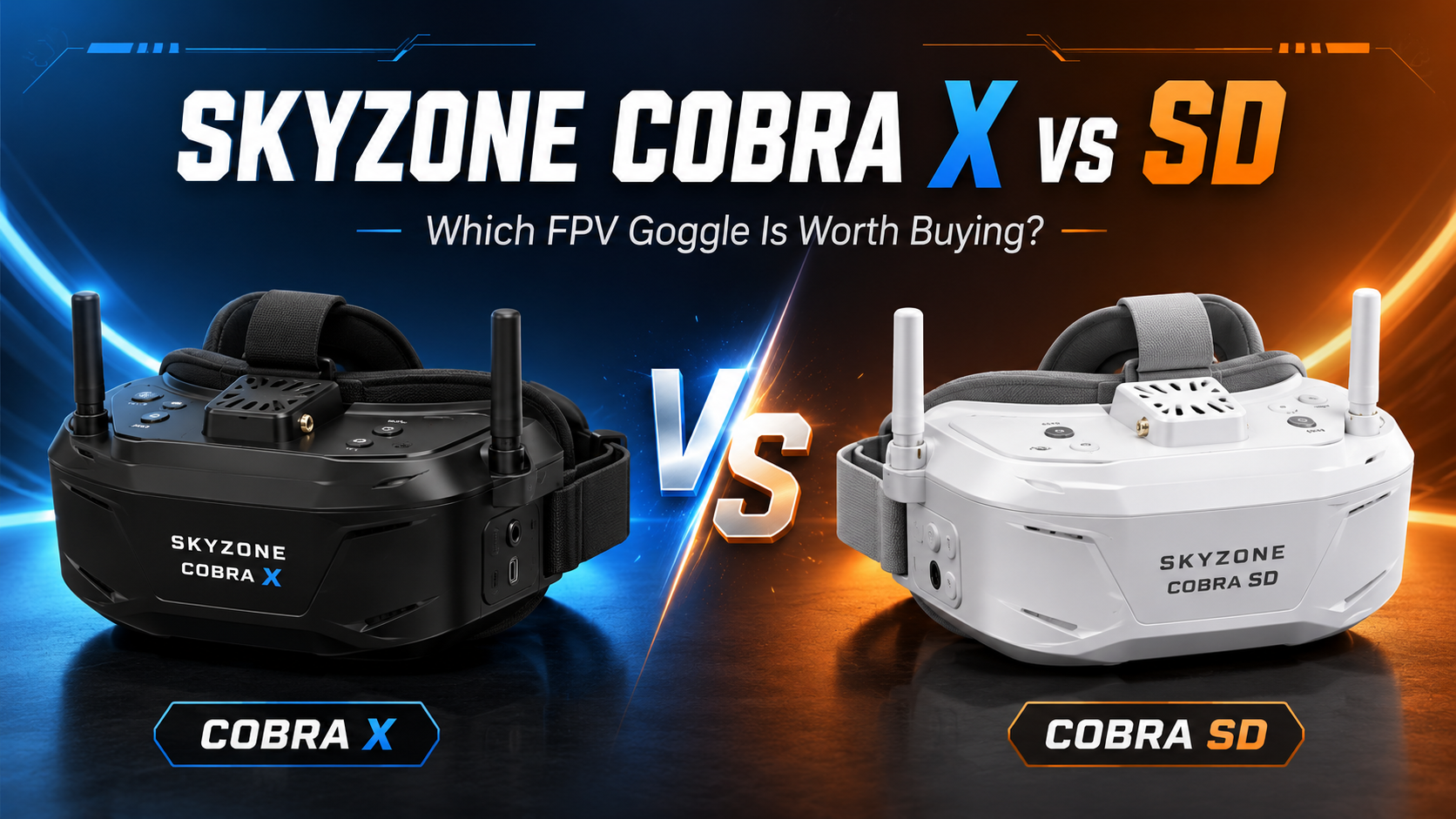

Caption: The Cobra X V4 is the more capable model, combining a 1280 × 720 display, SteadyView reception and 60fps DVR recording.
Image source: SKYZONE official.
Quick Verdict: Should You Buy the Cobra X or Cobra SD?
Buy the Skyzone Cobra X V4 if you regularly fly outdoors, around obstacles or in locations where reception quality matters. Buy the Cobra SD if you want a comfortable, modern analog box goggle for casual flying and would rather save money.
These goggles look almost identical and provide the same 50-degree field of view, physical dimensions, weight, glasses-friendly face area, head tracking and flexible power options. The meaningful differences are inside:
- Cobra X V4: 1280 × 720 LCD, SteadyView V3.3 receiver and H.264 60fps DVR.
- Cobra SD: 800 × 480 LCD, standard diversity receiver and MJPEG 30fps DVR.
At the time of checking on July 14, 2026, SKYZONE listed the Cobra X V4 at $272 and the Cobra SD at $202, creating a $70 difference.
At that price gap, the Cobra X is worth the upgrade for a committed analog pilot. The better receiver and smoother DVR affect real flights more than the resolution numbers alone suggest.
However, the Cobra SD remains the stronger value for beginners flying short-range tiny whoops, park quads or basic analog aircraft. You receive almost the same physical experience without paying for reception and recording performance you may not need.

Worthflect recommendation
Choose the Cobra X V4 when:
- You fly behind trees, walls or obstacles.
- You record DVR footage regularly.
- You want a goggle that can stay useful as your skills improve.
- You may occasionally connect an HDMI video source.
- The price difference is below approximately $75.
Choose the Cobra SD when:
- Your budget is the priority.
- You mostly fly short range.
- You use the goggles for indoor whoops or casual practice.
- You do not care about high-quality DVR footage.
- You plan to move to native digital goggles later.
Worthflect ratings
| Category | Cobra X V4 | Cobra SD |
|---|---|---|
| Analog image experience | 8.5/10 | 7.9/10 |
| Receiver performance | 9.0/10 | 7.4/10 |
| DVR quality | 8.8/10 | 6.8/10 |
| Comfort and glasses support | 8.5/10 | 8.5/10 |
| Portability | 7.0/10 | 7.0/10 |
| Value at current price | 8.5/10 | 8.8/10 |
| Overall | 8.6/10 | 8.1/10 |
Overall winner: Cobra X V4
Best-value winner: Cobra SD
Skyzone Cobra X vs SD Specifications
| Feature | Cobra X V4 | Cobra SD |
|---|---|---|
| Screen | LCD | LCD |
| Resolution | 1280 × 720 | 800 × 480 |
| Field of view | 50° | 50° |
| Aspect ratio | 4:3 and 16:9 | 4:3 and 16:9 reported in the menu |
| Receiver | 5.8GHz 48CH SteadyView V3.3 | 5.8GHz 48CH diversity |
| DVR | H.264, 60fps, MOV | MJPEG, 30fps |
| Memory card | Up to 128GB | Up to 32GB |
| Languages | 10 | Chinese and English |
| Power | 18650, USB 5V or DC 6.5–25.2V | 18650, USB 5V or DC 6.5–25.2V |
| Head tracker | 3-axis accelerometer and gyroscope | 3-axis accelerometer and gyroscope |
| Dimensions | 190 × 150 × 110mm | 190 × 150 × 110mm |
| Weight | 332g | 332g |
| Official price checked | $272 | $202 |
SKYZONE’s current Cobra SD page still describes it as a 16:9 goggle, but an independent hands-on test found a menu option for switching between 4:3 and 16:9. Because the official page copy appears incomplete, buyers should verify the available aspect-ratio setting on the unit or firmware supplied by their retailer.
Display Quality: Is the Cobra X Much Sharper?

Caption: The Cobra SD keeps the same large 50-degree viewing experience while reducing the display resolution and receiver cost.
Image source: SKYZONE official.
The Cobra X V4 has a 1280 × 720 LCD, while the Cobra SD uses an 800 × 480 panel. Both create a large 50-degree image, so the cheaper model does not feel like you are looking at a tiny screen. The primary difference is clarity rather than physical image size.
Menu text, OSD characters and external HDMI content look cleaner on the Cobra X. Fine details are also presented more neatly, particularly when the video signal is strong.
However, the difference is less dramatic during normal analog flying than the numbers suggest. Traditional analog video is already limited by the camera, VTX and transmission system. A 1280 × 720 panel cannot create details that were never present in the incoming feed.
An independent comparison concluded that the higher-resolution Cobra X display does not create a major advantage for standard analog FPV, although it becomes more useful with an external digital source through HDMI.
What does that mean in real use?
With a tiny whoop flying around a room, the Cobra SD image is sufficient. Gates, furniture, people and OSD warnings remain easy to recognize.
During faster outdoor freestyle, the Cobra X looks more refined. Small branches, narrow gaps and distant objects can be easier to examine, but the difference will not resemble moving from analog to native HD digital video.
The Cobra X has the better display. The Cobra SD still provides most of the usable analog detail.
Field of View: No Difference
Both goggles use the same 50-degree diagonal field of view. This is large enough to feel immersive without becoming as overwhelming as some traditional box goggles with extremely wide viewing areas.
A 50-degree image fills a meaningful portion of your vision. It works particularly well for freestyle, indoor whoops and fixed-wing cruising because the flight does not feel confined to a small virtual monitor.
The downside is that a large screen can require more eye movement. OSD elements placed near the corners may take more effort to monitor than on compact binocular goggles.
Since the Cobra X and SD use the same FOV, upgrading to the X does not make the image physically larger. You are paying for better resolution, reception and recording—not greater immersion.
Receiver Performance: The Biggest Real-World Difference
The receiver is the strongest reason to choose the Cobra X V4.
The Cobra SD uses a conventional 5.8GHz 48-channel diversity receiver. A diversity receiver monitors the signals from two antennas and selects the stronger feed.
The Cobra X includes SKYZONE’s V3.3 SteadyView receiver. SKYZONE says this system combines the two receiver signals to reduce tearing and rolling when reception becomes weak.
That distinction matters in environments where analog video reflects from walls, vehicles, trees and buildings.
Situations where Cobra X has an advantage
- Indoor flying through several rooms.
- Freestyle around concrete structures.
- Flying behind trees.
- Racing in areas with multipath interference.
- Turning the aircraft behind the pilot.
- Moderate-distance fixed-wing flying.
In these situations, the Cobra X feed should generally remain more stable. Static will still appear as signal quality decreases, but SteadyView can reduce the sudden rolling and tearing associated with basic receiver systems.
The Cobra SD receiver is adequate for open fields, parks and short-range indoor flying. Independent testing found it suitable for general use but below premium receiver systems in difficult conditions.
The antennas still matter
Both packages include basic 2dB linear antennas. They allow you to start flying, but they are unlikely to show the receiver’s full capability. Independent reviews recommend replacing the stock antennas for stronger practical performance.
A sensible setup is:
- One circularly polarized omnidirectional antenna.
- One directional patch antenna.
The omni provides coverage around the pilot, while the patch improves reception in the direction you are facing. Match the antenna polarization to the aircraft: RHCP with RHCP or LHCP with LHCP.
Better antennas improve both goggles, but the Cobra X remains the stronger platform for challenging reception.
DVR Quality: Cobra X Is the Clear Winner
The Cobra X V4 records H.264 video at 60fps, supports MOV files at approximately 6Mbps and accepts memory cards up to 128GB.
The Cobra SD uses a simpler MJPEG recorder at 30fps and is reported to support cards up to 32GB.
Neither DVR records true HD flight footage. The file captures the incoming analog signal, including static, interference and OSD data. The value of the Cobra X recorder is smoother motion, more efficient compression and greater card capacity.
That makes the Cobra X better for:
- Reviewing racing lines.
- Identifying the exact location of a crash.
- Finding the final visible landmark before signal loss.
- Diagnosing interference.
- Saving casual flight footage.
- Reading OSD information frame by frame.
The Cobra SD recorder still performs the most important safety function: documenting the last part of the flight. For someone who rarely watches DVR files unless a quad disappears, 30fps MJPEG may be enough.
For pilots who record every flight, the Cobra X upgrade is easy to justify.
Comfort and Glasses Compatibility: Essentially Identical

Caption: The Cobra X package includes the receiver, antennas, head strap, face padding and primary power and video cables.
Image source: SKYZONE official.
The Cobra X and Cobra SD share the same 190 × 150 × 110mm dimensions and 332g weight. Their face shape, strap arrangement and viewing design are effectively the same, so neither model has a comfort advantage.
Both goggles can accommodate many prescription glasses. A hands-on Cobra review found that smaller frames fit, although frames taller than approximately 30mm may have difficulty.
This is a meaningful advantage over many slim binocular goggles. Users with nearsightedness or astigmatism can continue wearing their regular glasses instead of purchasing custom diopter inserts.
The compromise is the box-goggle shape. Both models place the screen and housing in front of the face, which can feel front-heavy during long sessions. The Cobra’s internal mirror design makes it more compact than many traditional box goggles, but it remains substantially bulkier than SKYZONE’s 04-series binocular models.
Because their size and weight are identical, paying more for the Cobra X will not improve comfort.
Controls and Everyday Use
Both models use SKYZONE’s shuttle-wheel interface. Channels, receiver settings, brightness, contrast, aspect ratio and DVR controls can be adjusted without removing the goggles.
The menu and scroll-wheel arrangement is largely identical between the two products. Independent reviewers found the interface intuitive and easy to navigate.
The Cobra X supports ten interface languages, while the Cobra SD provides Chinese and English. This distinction will matter only to users who need another language.
Both goggles also provide head tracking through a three-axis accelerometer and gyroscope. Head tracking is primarily useful for fixed-wing aircraft fitted with a pan-and-tilt camera mount; most multirotor pilots will rarely use it.
Power Options: Another Tie
Both models can be powered by:
- One 18650 lithium-ion cell.
- A 2S–6S external LiPo or Li-ion battery.
- A 5V USB source.
- A 6.5–25.2V DC input.
The Cobra X consumes slightly more power approximately 0.63A at 12V compared with 0.59A for the SD but the practical difference is small.
The internal 18650 compartment keeps the setup clean and cable-free. An external battery is preferable for longer sessions, while USB power provides a convenient backup in the field.
An 18650 cell and memory card are not included with the Cobra SD package, and buyers should not assume they are included with the Cobra X unless the retailer explicitly lists them.
HDMI Use: Possible, but Not a Reason to Buy Either
Both goggles can accept HDMI video from a computer or compatible external receiver. The Cobra X’s 1280 × 720 screen gives it an advantage with higher-resolution sources.
However, independent testing reported noticeably higher HDMI latency than premium binocular or native digital goggles, with the Cobra platform estimated at around 80ms through the HDMI path.
That may be acceptable for:
- Watching another pilot’s feed.
- Simulator practice.
- Casual fixed-wing flying.
- Testing an external receiver.
It is not ideal for competitive racing or low-latency digital freestyle.
Pilots primarily using Walksnail, HDZero or DJI should purchase native goggles designed for that system. The HDMI port is a useful secondary feature, not a strong digital upgrade path.
Price and Value: Is Cobra X Worth the Extra $70?
At the official prices checked, the Cobra X costs $272 and the Cobra SD costs $202.
For an additional $70, the Cobra X provides:
- A higher-resolution screen.
- A much more capable SteadyView receiver.
- H.264 recording at 60fps.
- Support for larger memory cards.
- A broader language selection.
The receiver and DVR together justify the difference for serious analog use. Purchasing a stronger receiver later can cost much of the original price gap, and the SD’s simpler DVR cannot be transformed into the Cobra X recorder through an antenna upgrade.
The Cobra SD makes more sense when every dollar matters. Its screen, comfort, FOV, controls and power system remain almost identical to the more expensive model.
Best choice by pilot type
Beginner flying a tiny whoop: Cobra SD
Outdoor analog freestyle pilot: Cobra X V4
Pilot flying around buildings or trees: Cobra X V4
Occasional weekend flyer: Cobra SD
Glasses wearer: Either model
Pilot who depends on DVR: Cobra X V4
Future digital-only pilot: Cobra SD now, then save for native digital goggles
Fixed-wing analog pilot: Cobra X V4
Final Verdict
The Skyzone Cobra X V4 is the better goggle, while the Cobra SD is the better budget product.
The Cobra SD succeeds because SKYZONE did not remove the features that define the Cobra experience. It retains the large 50-degree image, glasses-friendly housing, intuitive controls, multiple power options, head tracking and modern compact box-goggle design.
Its compromises are carefully targeted: lower screen resolution, simpler diversity reception and a basic 30fps DVR.
Those compromises are acceptable for short-range and casual analog flying. Someone purchasing their first tiny whoop does not necessarily need SteadyView reception or 60fps recording.
The Cobra X V4 is the smarter long-term purchase for someone committed to analog. Its receiver performs better where signal conditions become difficult, its DVR is far more useful and its sharper display provides additional flexibility. At the current $70 price difference, those upgrades deliver more value than cosmetic changes or unnecessary accessories.
Worthflect final recommendation:
- Buy the Cobra X V4 when you expect to remain with analog and can afford the additional $70.
- Buy the Cobra SD when keeping the total setup affordable matters more than maximum reception and DVR quality.
- Skip both when your actual goal is a native digital FPV system.
Frequently Asked Questions
Is the Cobra X screen much better than the Cobra SD?
It is sharper, especially for OSD text, menus and HDMI video. The improvement is less dramatic with a normal analog camera because the incoming analog signal limits usable detail.
Does the Cobra SD have SteadyView?
No. The Cobra SD uses a conventional 5.8GHz 48-channel diversity receiver. The Cobra X V4 includes the V3.3 SteadyView receiver.
Can both goggles switch between 4:3 and 16:9?
The Cobra X officially supports both. Independent testing reports that the Cobra SD can also switch between them through the menu, although SKYZONE’s current product-page description still calls the SD a 16:9 goggle.
Can you wear glasses with the Cobra X and Cobra SD?
Yes, many small and medium prescription frames fit. Very large or tall frames may press against the face area.
Which model has the better DVR?
The Cobra X V4. It records H.264 at 60fps and supports cards up to 128GB. The Cobra SD uses MJPEG at 30fps with smaller card support.
Are the Cobra X and Cobra SD the same size?
Yes. Both are listed at 190 × 150 × 110mm and 332g.
Should I replace the included antennas?
Yes. The basic antennas work, but a matching circularly polarized omni and patch combination should provide better practical reception.
Is the Cobra X worth $70 more than the Cobra SD?
For outdoor flying, difficult reception or regular DVR use, yes. For short-range casual flying, the Cobra SD provides better value.


Leave a Reply