
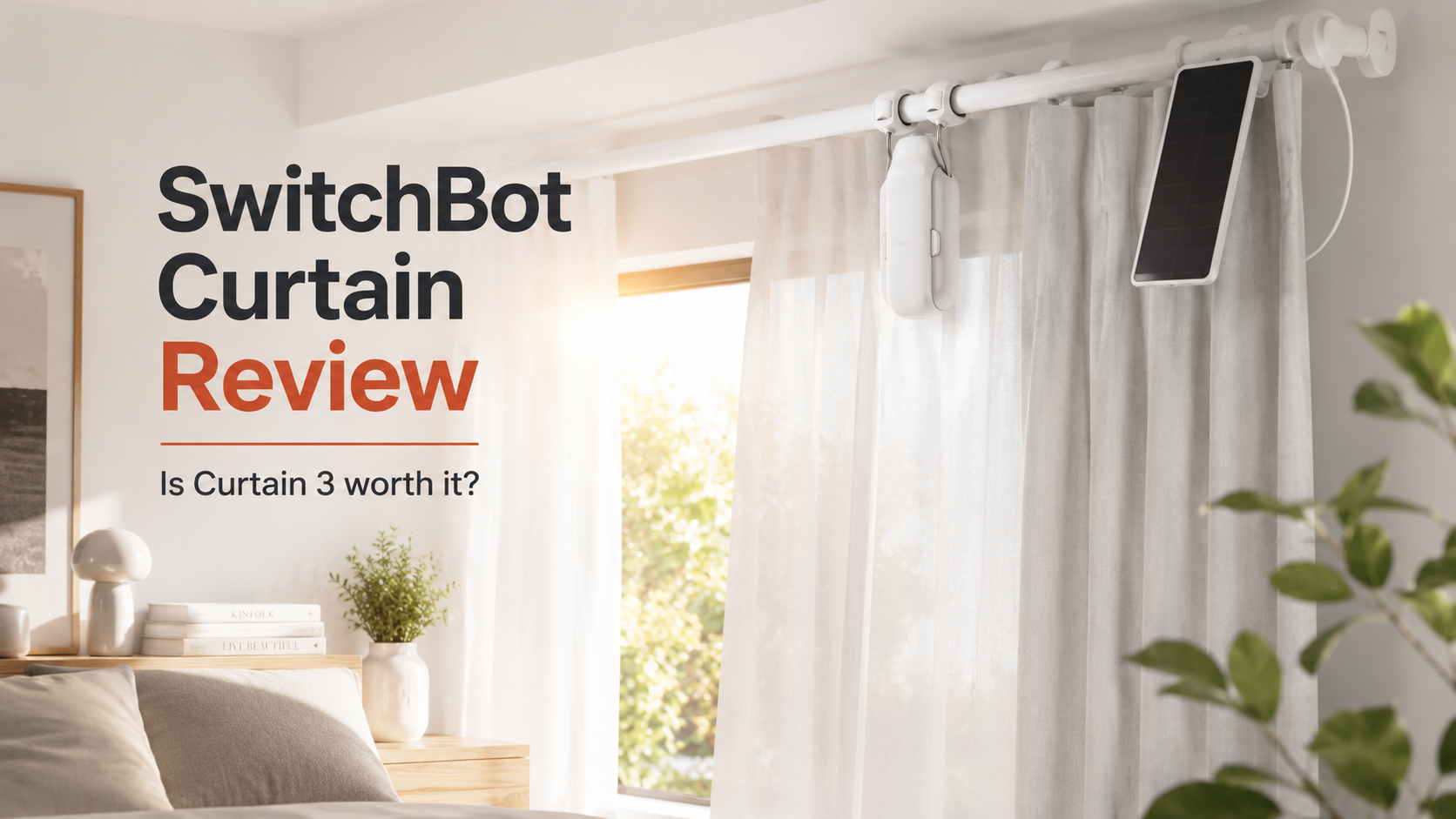
Automating your curtains sounds like a small upgrade, but it can make a noticeable difference to your daily routine. SwitchBot Curtain 3 lets you open and close existing curtains automatically without replacing the curtain rod, installing a motorized track, or hiring an electrician.
The real question is not whether it works. It does. The more important questions are whether it fits your curtain setup, how noisy it is, whether you need extra accessories, and whether the total cost makes sense.
In this SwitchBot Curtain review, we examine the current Curtain 3 model and explain exactly who should buy itand who should skip it.
SwitchBot Curtain 3 Review:
SwitchBot Curtain 3 is one of the best retrofit solutions for turning ordinary curtains into smart curtains. It is easy to remove, works with several curtain-track types, supports heavy curtains, and offers genuinely quiet operation through QuietDrift mode.
It is especially useful for bedrooms, living rooms, rental homes, hard-to-reach windows, and anyone who wants curtains to open automatically in the morning.
However, the price can increase quickly. You need one motor for each curtain panel, so a standard pair of curtains that opens from the center normally requires two Curtain 3 units. Remote control, voice assistants, Apple Home, and Matter integration also require a compatible SwitchBot Hub.
Overall Rating: 8.5/10
Best for: Renters, smart-home users, bedrooms, heavy curtains and people who do not want to replace their curtain track.
Skip it if: Your curtain rod has unusual joints, your curtains do not slide smoothly, or you want a completely hidden built-in motor.
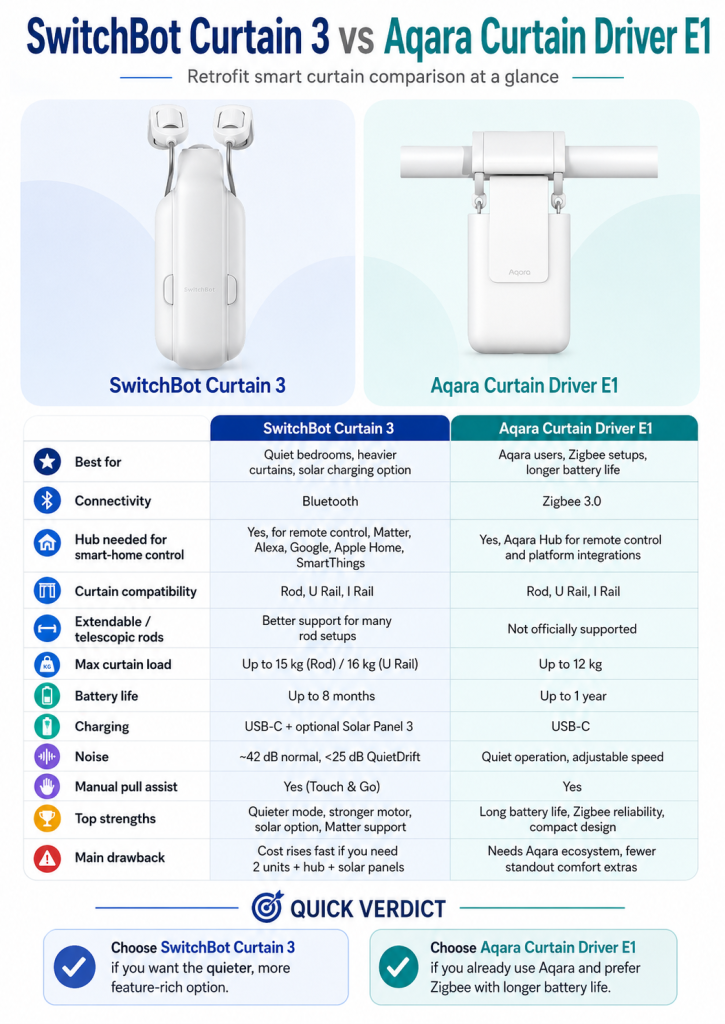
Pros and Cons
Pros
- No drilling, wiring or curtain-track replacement
- Supports rod and rail-based curtain systems
- QuietDrift mode operates below 25 dB
- Handles curtains weighing up to 15–16 kg
- Up to eight months of claimed battery life
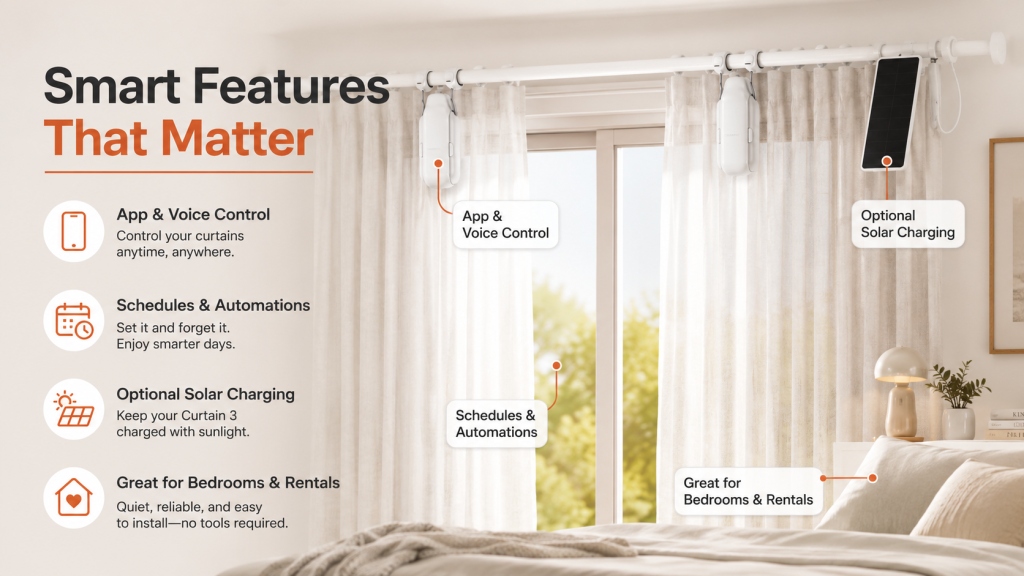
- Optional solar charging
- Scheduling and automatic opening
- Supports Alexa, Google Home, SmartThings and Apple Home through a compatible hub
- Easy to remove and reinstall
Cons
- Two motors are normally required for center-opening curtains
- A SwitchBot Hub is needed for remote and smart-home control
- Solar Panel 3 is sold separately
- QuietDrift mode is very slow
- The motor remains visible from certain angles
- Performance depends heavily on how smoothly the curtain moves
- Total cost becomes expensive when automating several windows
What Is SwitchBot Curtain 3?
SwitchBot Curtain 3 is a rechargeable motor that attaches to an existing curtain rod or rail. Its powered wheel travels along the rod or track, pulling the curtain open or closed.
Unlike a traditional motorized curtain system, it does not require you to remove your current curtain hardware. This makes it particularly attractive for renters and homeowners who want automation without permanent installation.
You can control it through the SwitchBot app, create opening and closing schedules, pull the curtain gently to activate Touch & Go, use an optional remote, or connect it to a smart-home platform through a compatible SwitchBot Hub.
Key Specifications
| Feature | SwitchBot Curtain 3 |
|---|---|
| Connectivity | Bluetooth 5.0 |
| Battery | 3,350mAh rechargeable lithium-ion |
| Charging | USB-C or optional Solar Panel 3 |
| Claimed battery life | Up to 8 months |
| Maximum curtain weight | 15 kg for Rod; up to 16 kg for U Rail |
| Maximum track length | 3 meters per curtain panel |
| Normal-mode noise | Up to approximately 45 dB |
| QuietDrift noise | Below 25 dB |
| QuietDrift speed | Approximately 5 mm per second |
| Smart-home support | Alexa, Google Home, SmartThings, Apple Home and Matter through a compatible hub |
| Local schedules without a hub | Up to five |
| Curtain 3 main-unit weight | Approximately 280 g |
SwitchBot’s eight-month battery estimate is based on opening and closing an 8 kg curtain on a three-meter track once per day at approximately 25°C. Heavier curtains, additional daily movements and frequent QuietDrift use can reduce real-world battery life.
Curtain Compatibility: Check This Before Buying
Compatibility is the most important part of this SwitchBot Curtain review.
SwitchBot produces different Curtain 3 versions for different mounting systems. Depending on the market, these include:
- Curtain rods
- U-rail tracks
- I-rail tracks
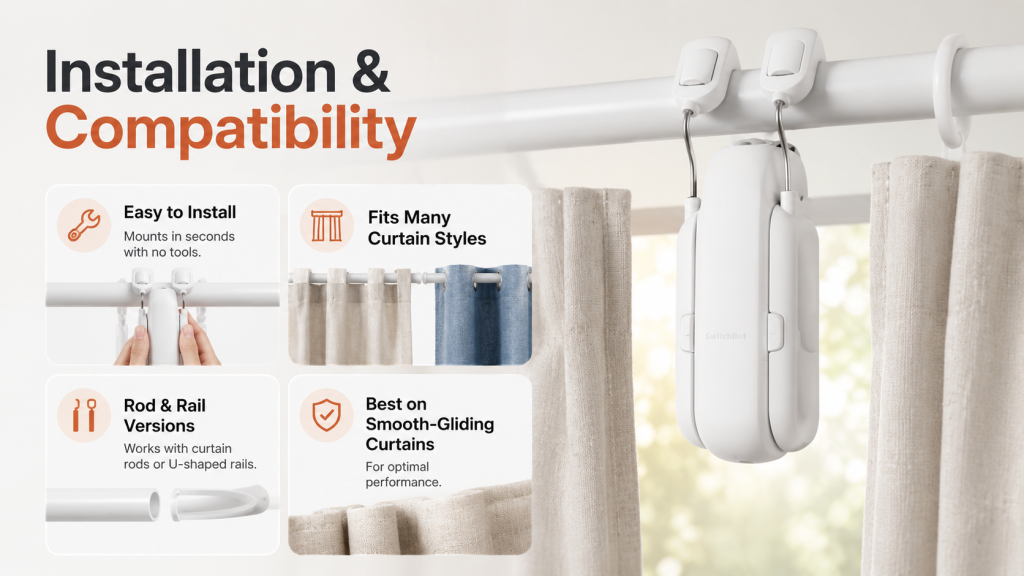
The Rod version can work with several popular curtain styles, including ring-top, grommet, back-tab and tab-top curtains. However, you must select the correct Curtain 3 version for your hardware.
Do not buy based only on the appearance of your curtains. Check the rod diameter or rail dimensions using SwitchBot’s compatibility guide first.
Telescopic Curtain Rods
Telescopic rods can cause problems because the motor must travel across the raised joint where one section of the rod slides into another. Curtain 3 has been designed to handle more rod types than previous generations, but a large or uneven joint can still interrupt movement.
Before purchasing, inspect the entire path the motor will travel. The rod should be straight, stable and free from large obstacles.
Heavy Blackout Curtains
Curtain 3 is significantly more powerful than the earlier generation. The Rod version is rated for curtains weighing up to 15 kg, while the U-rail version can handle up to 16 kg under controlled conditions.
Weight is not the only factor, though. A lightweight curtain on a rough or bent track may be harder to move than a heavier curtain on a clean, smooth rail.
A simple test is to open and close your curtain manually using one or two fingers. If it glides easily, Curtain 3 is likely to perform well. If it sticks or requires considerable force, clean, lubricate or repair the track before installing the motor.
Do You Need One or Two SwitchBot Curtain Motors?
Each SwitchBot Curtain 3 controls one curtain panel.
For a single curtain that moves from one side to the other, you normally need one motor.
For two curtains that meet in the middle and open toward opposite sides, you normally need two motors. The two devices can be grouped in the SwitchBot app so they open and close together.
A single Curtain 3 is recommended for a curtain panel travelling along a track of up to three meters. It cannot be combined with another motor to pull one unusually long continuous curtain panel.
This is important when calculating the real cost. A product page may show the price of one Curtain 3, but many living-room and bedroom windows require a two-pack.
Installation and Setup
The physical installation is simple and does not require drilling or electrical work.
The exact steps depend on whether you have a rod, U rail or I rail, but the general process is:
- Charge the Curtain 3.
- Attach the hooks around the rod or inside the rail.
- Position the motor between the first and second curtain attachment points.
- Add the device in the SwitchBot app.
- Select your curtain-opening style.
- Calibrate the fully open and fully closed positions.
- Install the closing-position magnet where required.
SwitchBot advertises a very fast physical installation, but you should allow additional time for charging, reading the curtain-specific instructions, pairing and calibration.
The closing-position magnet is a useful improvement. It helps the motor identify the correct stopping point and reduces the chance of leaving a gap between two curtains.
Before permanently attaching the magnet, temporarily secure it with removable tape. Test the curtain several times and adjust its position until the curtains close completely.
How Well Does SwitchBot Curtain 3 Work?
When installed on a compatible, smooth curtain system, Curtain 3 provides consistent opening and closing.
Independent hands-on testing found that it was able to open and close curtains reliably, while the more powerful motor and closing-position magnet improved performance compared with earlier generations.
The motor can also stop at a selected opening percentage. This is useful when you want privacy while still allowing some daylight into the room.
The main limitation is speed. Normal mode is suitable when you want the curtains opened quickly. QuietDrift is designed for gradual, almost silent movement rather than fast operation.
Is SwitchBot Curtain 3 Noisy?
SwitchBot Curtain 3 is much quieter than the original SwitchBot Curtain models.
In normal mode, the current product specification lists noise at up to approximately 45 dB. You will hear the motor, especially in a quiet bedroom, but it is not excessively loud for daytime use.
QuietDrift mode reduces the noise level to below 25 dB at a distance of one meter. At that level, the motor becomes difficult to notice unless you are standing close to it.
The trade-off is speed. QuietDrift moves the curtain at approximately 5 mm per second, so opening a wide curtain can take several minutes.
That sounds inconvenient, but it works well for morning routines. Instead of suddenly opening the curtain, QuietDrift can slowly introduce natural light before your alarm.
Best Use of QuietDrift
Schedule QuietDrift to begin opening the curtains around 10–20 minutes before you want to wake up. The slow movement is less disruptive and allows the room to brighten gradually.
For quick daytime operation, use normal mode.
Battery Life and Charging
SwitchBot claims Curtain 3 can operate for up to eight months per charge under its laboratory testing conditions. The device charges through USB-C and includes a 3,350mAh battery.
Real battery life will depend on:
- Curtain weight
- Track length
- Track friction
- Number of daily movements
- Room temperature
- Normal versus QuietDrift operation
- Bluetooth and automation usage
SwitchBot specifically warns that QuietDrift can drain the battery faster and recommends pairing frequent QuietDrift use with a solar panel.
Without a solar panel, charging is not frequent, but it can be inconvenient because the device sits near the top of the window. You may need to remove it or run a long USB-C cable upward.
Is SwitchBot Solar Panel 3 Worth Buying?
Solar Panel 3 is one of the most useful optional accessories, but only when your window receives enough sunlight.
It attaches to Curtain 3, faces the window and moves with the curtain. SwitchBot claims that approximately three hours of suitable sunlight per day can maintain continuous power under normal usage.
Buy Solar Panel 3 if:
- The window receives regular direct or strong daylight
- The curtain is difficult to reach
- You use QuietDrift every day
- You open and close the curtain several times daily
- You do not want to remove the motor for charging
Skip Solar Panel 3 if:
- The window is heavily shaded
- A balcony or roof blocks sunlight
- The panel would remain behind a blackout lining
- You do not mind charging the device occasionally
The solar panel may still slow battery drain in weaker light, but continuous operation depends on exposure, curtain usage and local weather. Treat “unlimited battery” as an ideal-use claim rather than a guarantee for every room.
Do You Need a SwitchBot Hub?
You do not need a hub for basic nearby control.
Curtain 3 connects directly to your phone through Bluetooth. You can use the SwitchBot app, calibrate the device, set a limited number of schedules and control it while within Bluetooth range.
A compatible SwitchBot Hub becomes necessary when you want:
- Control while away from home
- Alexa voice control
- Google Home integration
- Apple Home integration
- Matter support
- SmartThings integration
- Sunrise and sunset automations
- Automations involving other internet-connected devices
- More advanced scenes and schedules
Curtain 3 can be added to platforms such as Apple Home and Google Home as a secondary Matter device through supported SwitchBot bridges, including Hub 2, Hub 3 and Hub Mini Matter Enabled. Matter control supports fully open, fully closed and percentage-based positioning.
For buyers who only want the curtains to open every morning and close every evening, Bluetooth schedules may be enough.
For a complete smart-home experience, include the cost of a compatible hub in your budget.
App and Automation Features
The SwitchBot app provides more than simple open and close buttons. You can:
- Set a specific opening percentage
- Create daily or weekly schedules
- Group two curtain motors
- Choose normal or QuietDrift operation
- Create scenes
- Check battery status
- Trigger curtains through other SwitchBot sensors
- Use sunrise or sunset automation with a hub
- Control one side of a paired curtain independently
One useful feature is Touch & Go. When you gently pull the curtain by hand, the motor detects the direction and completes the movement automatically.
This makes the curtains feel more natural for visitors or family members who do not want to use an app or voice command.
Real Cost: What Do You Actually Need to Buy?
The total cost depends on your window and desired features.
Basic Single-Curtain Setup
- One SwitchBot Curtain 3
This gives you Bluetooth app control, manual Touch & Go operation and basic scheduling.
Typical Center-Opening Setup
- Two SwitchBot Curtain 3 motors
This allows both curtain panels to open and close together.
Full Smart-Home Setup
- Two Curtain 3 motors
- One compatible SwitchBot Hub
- Optional Solar Panel 3 for each motor
This provides remote access, voice control, Matter integration and reduced charging maintenance.
The complete setup can become considerably more expensive than the price displayed for one motor. However, it may still cost less and require far less installation work than replacing the existing rod with a professionally installed motorized curtain track.
What Could Be Better?
The Design Is Still Bulky
Curtain 3 is normally hidden behind the curtain, but it is not invisible. From the side or when the curtain is open, you may see the white plastic motor and optional solar panel.
A built-in motorized rail looks cleaner.
Extra Accessories Increase the Price
A standard pair of curtains needs two motors. Adding a hub and two solar panels creates a much larger investment than the entry price suggests.
QuietDrift Is Extremely Slow
QuietDrift solves the noise problem, but it is not suitable when you want the curtains open immediately.
Compatibility Is Not Universal
SwitchBot promotes broad compatibility, but unusual rods, decorative ends, sharp joints, curved rails and damaged tracks can still cause problems.
Always measure and inspect your hardware before ordering.
Solar Charging Depends on Window Conditions
Solar Panel 3 is convenient only when it receives enough light. It may not eliminate manual charging in shaded rooms.
SwitchBot Curtain 3 vs. a Motorized Curtain Track
| SwitchBot Curtain 3 | Built-In Motorized Track |
|---|---|
| Uses your existing curtain hardware | Replaces the existing track |
| No electrical installation required | May require wiring or a nearby power outlet |
| Removable and renter-friendly | Usually permanent |
| Motor may remain partly visible | Cleaner, integrated appearance |
| Easy to move to another room | Difficult to relocate |
| Cost increases with every curtain panel | Higher installation cost but may suit large windows better |
| Best for retrofitting | Best for renovations and new homes |
SwitchBot Curtain 3 is the better choice for convenience and non-permanent installation. A built-in system is better when appearance, speed and large-window performance are the main priorities.
Who Should Buy SwitchBot Curtain 3?
SwitchBot Curtain 3 is worth buying if:
- You want to wake up with natural light
- You regularly forget to open or close your curtains
- You have high or difficult-to-reach windows
- You rent your home
- You do not want to replace the current curtain rod
- You already use SwitchBot products
- You want Alexa, Google or Apple Home curtain control
- You have heavy curtains that move smoothly
- You want a quieter motor for a bedroom
It can also be useful for people with limited mobility because it removes the need to reach, pull or walk to each curtain every day.
Who Should Not Buy It?
Consider another solution if:
- Your curtains stick or require significant force
- Your rod has large telescopic joints
- You want instant and completely silent operation
- You dislike visible smart-home devices
- You need to automate many windows on a limited budget
- Your window uses blinds or roller shades rather than curtains
- You are already renovating and can install a built-in motorized track
For Venetian blinds, SwitchBot Blind Tilt is the more relevant product. For roller-style window coverings, a dedicated smart roller shade will be a better match.
Is SwitchBot Curtain 3 Worth It?
Yes—SwitchBot Curtain 3 is worth it for people who want to automate existing curtains without replacing the rod or track.
Its strongest advantages are simple installation, strong pulling power, broad curtain compatibility and QuietDrift mode. The ability to schedule gradual morning opening can genuinely improve a bedroom routine, while remote and voice control add convenience throughout the day.
Its value is less convincing when you need two motors, two solar panels and a hub for several windows. At that point, compare the total package price with a dedicated motorized-track system.
For one or two important windows, especially in a rental home, Curtain 3 offers an excellent balance of convenience and flexibility.
Frequently Asked Questions
Does SwitchBot Curtain work without Wi-Fi?
Yes. Curtain 3 uses Bluetooth for nearby app control and basic scheduling. Wi-Fi-based remote control and most third-party smart-home integrations require a compatible SwitchBot Hub.
Do I need two SwitchBot Curtain devices?
You need one device for each independently moving curtain panel. A pair of curtains that opens from the center normally requires two devices.
Does SwitchBot Curtain work with blackout curtains?
Yes, provided the curtains remain within the supported weight limit and move smoothly. The Rod version supports up to 15 kg, while the U-rail version can support up to 16 kg under controlled conditions.
Is SwitchBot Curtain loud?
Normal mode is audible at up to approximately 45 dB. QuietDrift mode operates below 25 dB but moves much more slowly.
Does SwitchBot Curtain support Apple HomeKit?
Curtain 3 can appear in Apple Home through Matter when connected through a supported SwitchBot bridge such as Hub 2, Hub 3 or Hub Mini Matter Enabled.
Can I control SwitchBot Curtain away from home?
Yes, but remote internet control requires a compatible SwitchBot Hub.
How long does the battery last?
SwitchBot claims up to eight months under specific test conditions. Actual battery life varies according to curtain weight, friction, usage frequency and operating mode.
Is the solar panel necessary?
No. Curtain 3 can be recharged through USB-C. Solar Panel 3 is mainly recommended for hard-to-reach windows, frequent use and daily QuietDrift automation.
Final Verdict
SwitchBot Curtain 3 does not make sense for every window, but it remains one of the easiest ways to automate curtains you already own.
It avoids expensive track replacement, handles heavier curtains than previous versions, integrates with major smart-home platforms and offers a QuietDrift mode that is genuinely suitable for gradual bedroom routines.
Check your curtain hardware carefully, calculate whether you need one or two motors, and include the cost of a hub and solar panels before buying.
Final score: 8.5/10
Recommended for: Renters, smart-home enthusiasts and anyone seeking a simple, removable curtain automation system.
Not recommended for: Buyers who want an invisible built-in design or need to automate many windows at the lowest possible total cost.



Leave a Reply